Neptune DXP Documentation
Add a new approver
In this topic, you learn how to add a new list of approvers.
Procedure
-
In the Cockpit, go to Workflow and click Approvers.
-
Click Add. Result: A new window opens.
-
In the General tab, enter a name for your list of approvers.
-
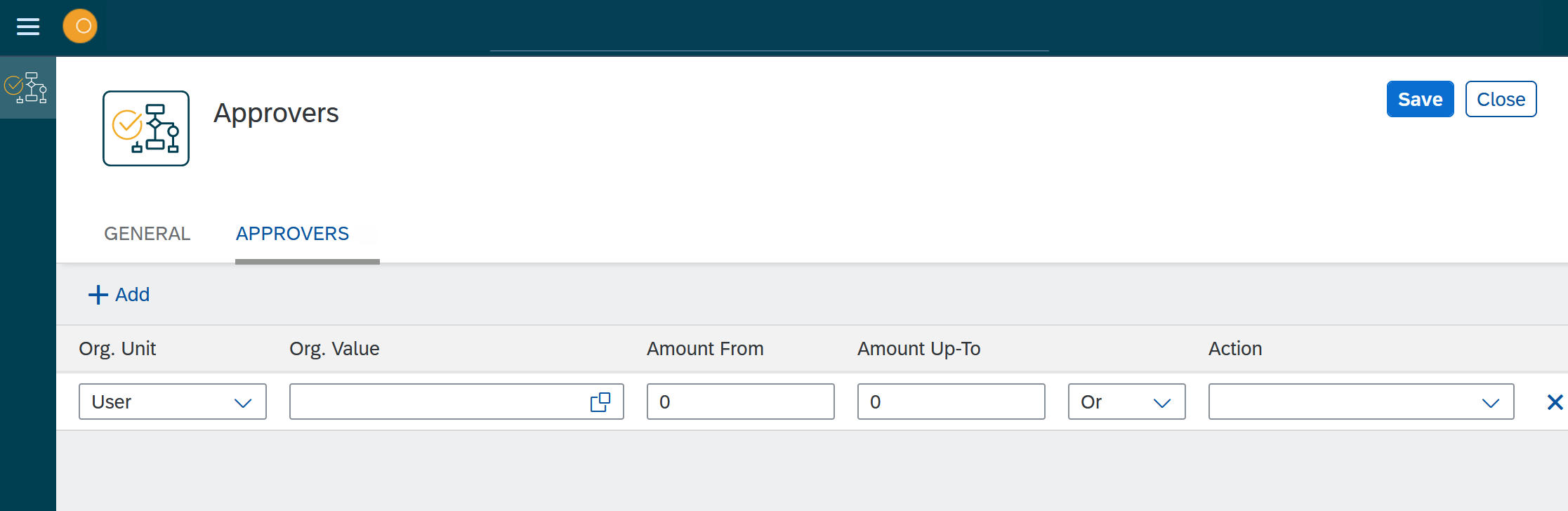
In the Approvers tab, click Add.
-
In Org. Unit, select if you want to add a role, group, or user as approver.
-
In Org. Value, select the role, group, or user you want to add.
-
In Amount From and Amount Up-To, select the range in which the approver gets notified.
-
Select if an Action should additionally be performed.
-
Click Save.