General and Security tab
-
In the General tab, you can assign a name, and a description to the system.
-
In the Security tab, you make web-related security settings.
General
General
- Name
-
Enter a name for your system.
- Description
-
Enter a short description of your system.
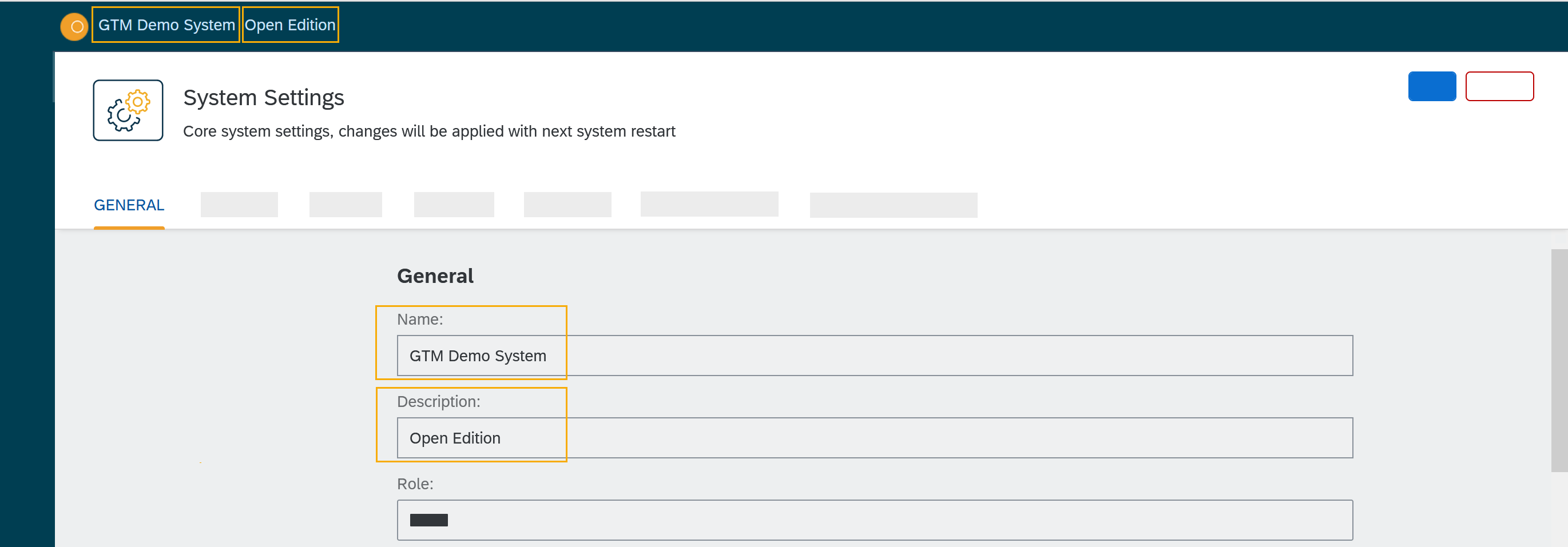
In the upper left of the user interface, the description is shown next to the name of the system. - Role
-
Assign one of the following roles to your system:
-
Local
-
Development
-
Integration
-
Test
-
Quality Assurance
-
Staging
-
Production
-
Sandbox
-
- Session Timeout (in minutes)
-
Enter the time span in minutes for a session timeout. If the user does not refresh or request a page within this time span, the session ends and the user has to log in again.
- Delete cookie when browser session ends (i.e. all browser windows are closed)
-
Check or uncheck.
- HTTP Response Timeout (in seconds)
-
Enter a timeout period in seconds that defines for how long a session remains active after the last refresh or page request.
- Background Job Interval (in seconds)
-
Enter a value in seconds for background job intervals.
- Number of Server Worker Processes
-
Enter a number for the maximum amount of jobs that are processed simultaneously in the background.
Login
- Disable Local authentication
-
Check to disable the local authentication option from the login options. For example, if you want to use Json Web Token (JWT) authentication as default then disable local authentication. In Default login url, enter the login URL that is mentioned in defining JWT authentication.
Error notifications
Select the system components you want to receive error notifications from. Enter email addresses to receive these notifications.
Firebase - Push Notification
Firebase Cloud Messaging (FCM) is used to deliver push notifications to Android devices, Google Chrome and Mozilla Firefox. Use your FCM credentials to set up web push notifications for your site. The API keys that you enter here are stored securely and are used by the web push notifications service to connect to the FCM server. The Message Sender ID (project number) that you enter here is used by the Android SDK and JS SDK for Google
Security
In the Security tab, you perform the following tasks:
- Disable Frame Guard (X-Frame-Options)
-
Check or uncheck.
- Accessed using HTTPS (will enable secure cookies). Remember to set 'X-Forwarded-Proto': 'https' if you are using a reverse proxy
-
Check or uncheck.
- Cookie attribute SameSite value
-
Select the cookie type.
In the following sections you can enter URLs to whitelists for Proxy, CORS, and CSP.