Configure a connection to GitHub
In this topic, you learn how to configure a connection from your development package to GitHub.
Procedure
-
In Development Package, click on the package for which you configured a Git connection.
-
Click on the CI/CD tab.
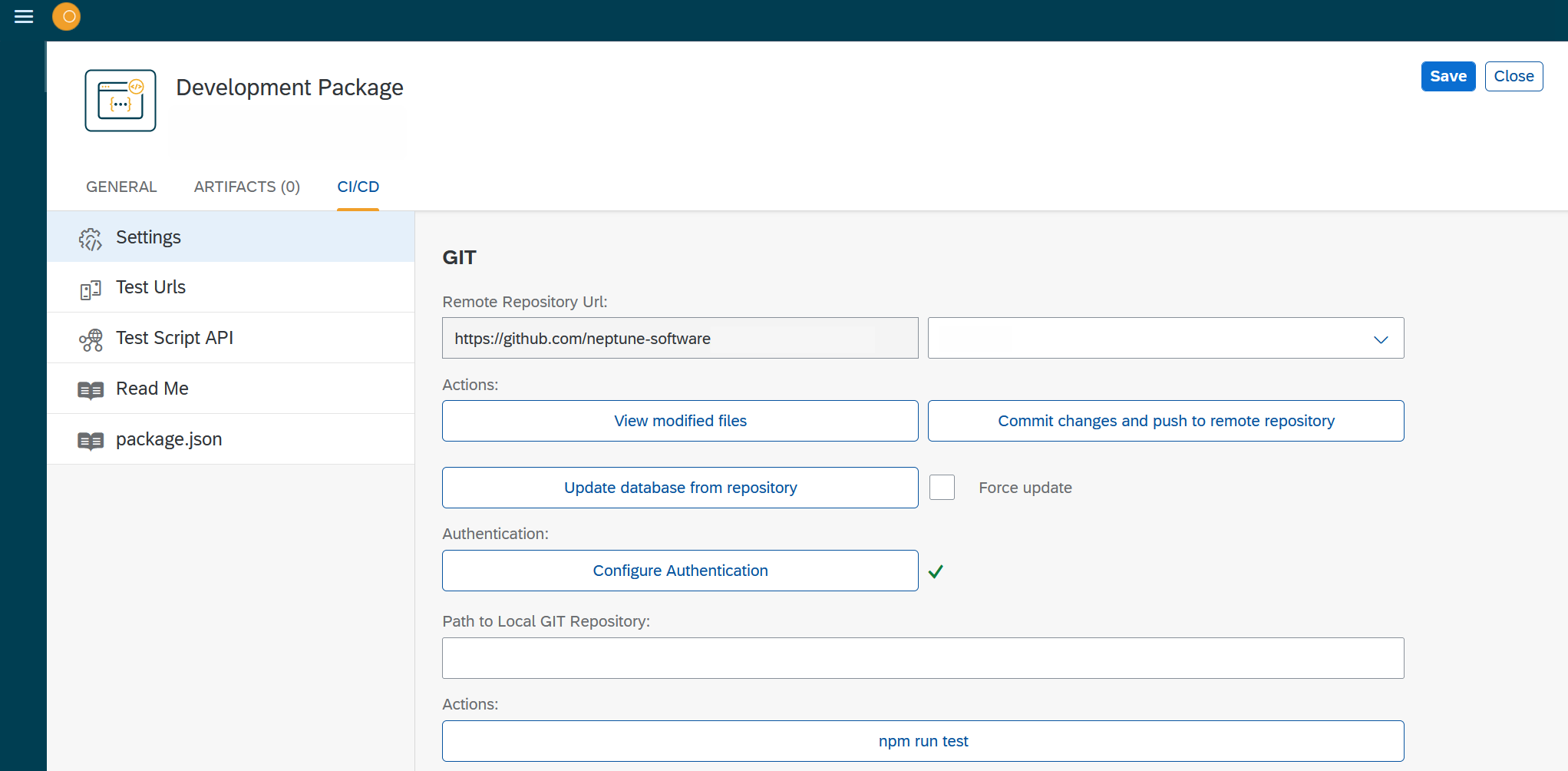
This tab only appears if you have configured a connection to GitHub before. -
In Settings, configure your GitHub repository:
- Choose a branch
-
From the drop-down menu, choose a branch from the repository that you want to work on.
- View modified files
-
View the files you changed and that could be staged to Git.
- Commit changes and push to remote repository
-
Commit and push the staged files to the indicated branch in Git.
- Update database from repository
-
Update your repository.
- Force Update
-
Activate if you do not want that at least one branch is up to date with your current changes, what is however recommended to have a backup version available.
- Configure Authentication
-
View and reconfigure the authentication settings you set up before.
- npm run test
-
Run the tests you configured in Test URLs and Test Script API.
- Path to local git repository
-
Local repository where the files you created with npm run test are copied to.
-
Click Save.